Changelog

Follow new updates and improvements to QueryFlow.

v1.7 — BigQuery and Databricks are here.
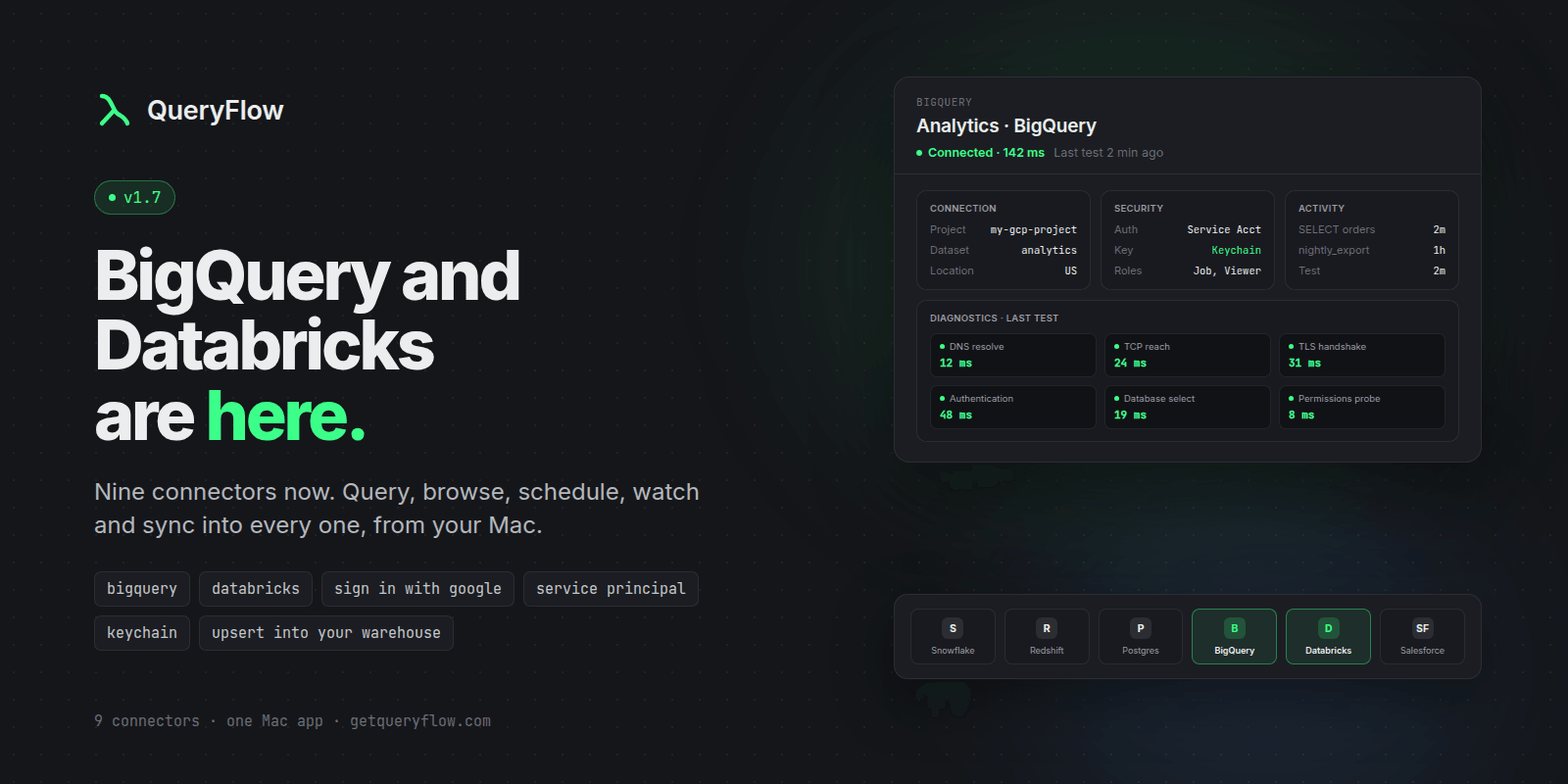
QueryFlow 1.7 connects to two of the biggest warehouses in data, and the Connections space got a full redesign.

New: Google BigQuery

  • Query any BigQuery project from the SQL editor and Flow Books.

  • Browse datasets, tables and columns in the explorer.

  • Sign in with Google, or use a service account JSON key.

  • Set a default dataset and location (US, EU, or any region).

New: Databricks

  • Query any Databricks SQL warehouse.

  • Browse catalogs, schemas, tables and columns.

  • Connect with a personal access token or a service principal.

  • Paste the HTTP Path from your warehouse page. QueryFlow finds the warehouse for you.

Improved: Connections and Destinations

  • Every connection opens to a clean header: name, status, last test, and Test / Edit / Delete in one place.

  • Details are grouped into cards: Connection, Security, Activity.

  • Destinations (S3, SFTP, Email, Slack and more) now match.

  • BigQuery and Databricks are new job destinations. Send scheduled results straight into a table, using the connection you already added.

  • The sidebar got a rebuild: cleaner rows, collapsible sections, live status and latency.

  • The new connection sheet is faster to fill: compact provider tiles, clearer fields, and Save always in view.

Good to know

  • Schedule it, Watch it, sync into it. Both run on the Scheduler (even with the app closed), Watches and Data Sync, as a source or a target.

  • A BigQuery service account needs the BigQuery Job User and BigQuery Data Viewer roles.
Update from the Mac App Store.

NewImproved

v1.6.2 — Ask your database anything. Any model.

Ask your database anything. Any model. Then let it watch. Date: September 25, 2026 · Studio $9.99/mo · $99/yr — Pipelines $29.99/mo · $199.99/yr — 14 days free, no card.

🧠 Ask — the AI panel (Studio)

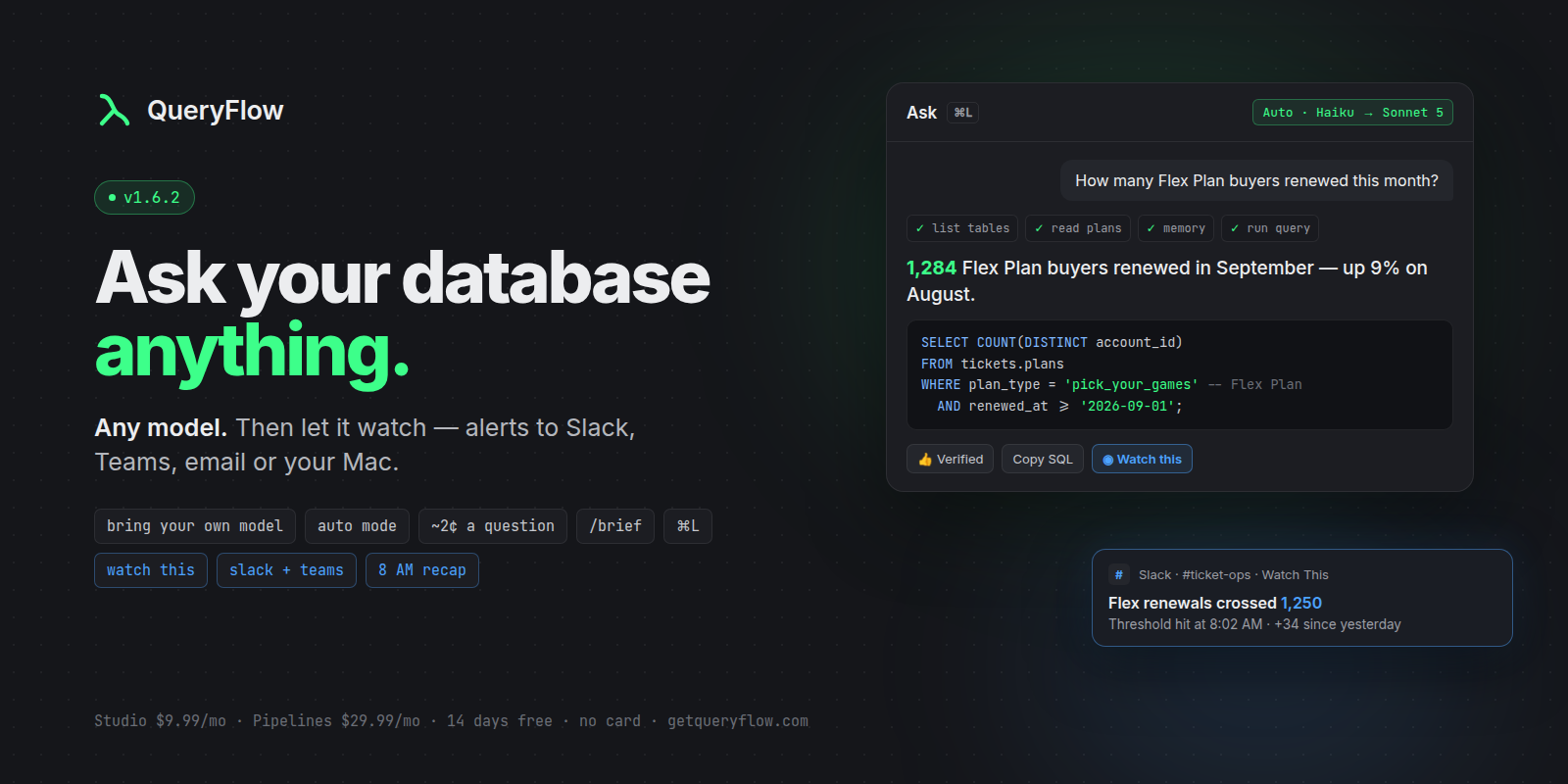
  • Bring your own model: Claude Sonnet 5 · Haiku 4.5 · GPT-6 Sol · GPT-6 Luna · Gemini 3.5 Flash · Flash-Lite · Grok 4.20. Your key, ~2¢ a question.

  • Auto mode: a cheap model explores, a strong model answers.

  • One-sentence answers + the SQL. No essays. Use /brief or /verbose.

  • Step cards show exactly what it looked at. 30-step budget, "Continue" if it needs more.

  • It remembers: 👍 an answer to save it as a verified query. Teach it terms like "Flex Plan = pick-your-games". Clear it all in one click.

  • Adaptive prompt chips built from your real tables. ⌘L opens it, Return sends.

  • Inline completions that actually work: idle-triggered, fill-in-the-middle, Tab to accept.

👀 Watch This (Pipelines)

  • Any query or Ask answer → Watch this → get alerted when the row count or a value changes or crosses a threshold.

  • Alerts go to Slack, Microsoft Teams, email, webhook, and macOS notifications.

  • Runs while the app is closed (login-item helper).

  • Its own blue accent, and one Automations list alongside your scheduled jobs.

💬 Slack + Teams (Pipelines)

  • First-class destinations with rich cards and a "Send test message" button.

  • Job completion notifications with details: rows, duration, first 10 rows, errors.

  • Daily Recap at 8 AM: runs, successes, failures, watch alerts, and a needs-attention list.

🔌 Connections (all tiers)

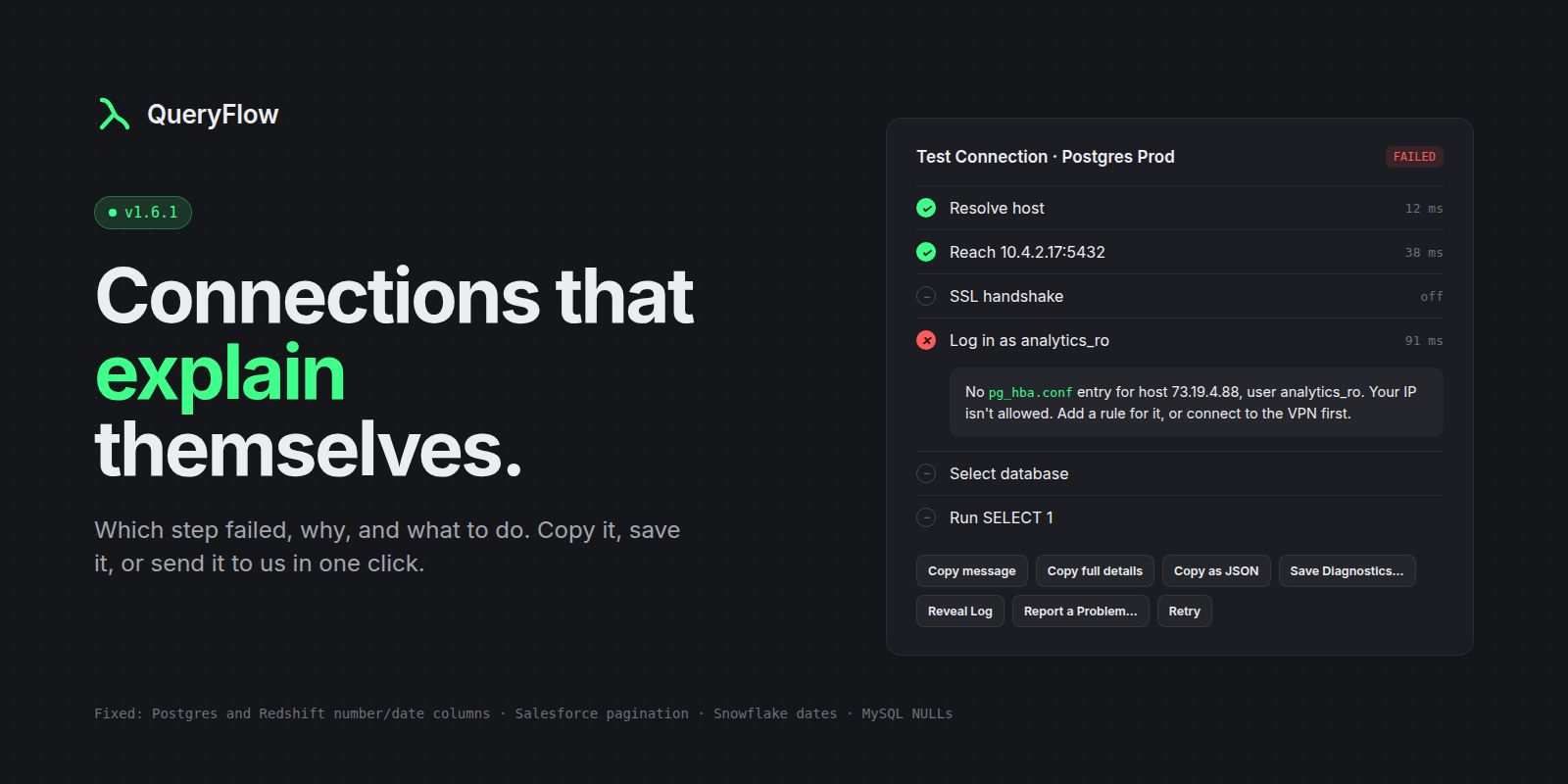
  • Failed connections explain themselves: DNS → network → SSL → login → database → permissions, with the fix. Copy / Save / Reveal log / Report a Problem.

  • Fixed: Postgres/Redshift binary columns · Snowflake dates + full partitions · Salesforce full pagination · MySQL NULL/BLOB · CSV export escaping.

✨ Also

  • Flow Books now match the SQL editor (toolbar, sidebar, cell headers), plus guided empty states.

  • In-app update notice with one-click Update.

Stop writing SQL. Fivetran runs ~$549/mo — Pipelines is $199.99/yr. Get QueryFlow on the Mac App Store.

NewImprovedFixed

v1.6.1 — Connections that explain themselves

Hotfix for 1.6.0. Fixed: integer, numeric, date and timestamp columns on PostgreSQL and Redshift connections rendered as binary garbage. Fixed: new PostgreSQL connections failed to connect. New: when a connection fails, QueryFlow shows which step failed — DNS, network, SSL, login, database, permissions — and what to do, with Copy, Save Diagnostics, Reveal Log, and Report a Problem. Also: Snowflake dates/timestamps decode correctly and large results load completely; Salesforce queries return every row; MySQL NULL/BLOB cells render correctly; CSV export is properly escaped; ⌘Enter runs the query from the editor; queries cancel for real. Rolling out on the Mac App Store now.

Earlier updates